
ຕົວປົດລັອກ iOS

ວິທີປົດລັອກ Face ID ໃນຂະນະທີ່ນອນຫຼັບ?
From iPhone X to the later models (iPhone 17/17 Pro/17 Pro Max), Apple has been using Face ID instead of…
ອ່ານຕື່ມ »
ວິທີການຕັ້ງຄ່າລະຫັດຜ່ານ Apple ID ໃໝ່ໃນ iPhone, iPad ຫຼື Mac
Apple ID and password are vital when it comes to accessing and using most of the software and even hardware…
ອ່ານຕື່ມ »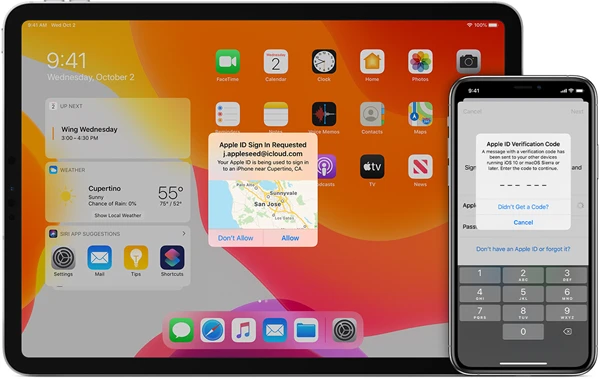
ວິທີປິດການພິສູດຢືນຢັນສອງປັດໄຈໃນ iPhone
One of the selling points of Apple devices is the importance it places on users’ data security and privacy. Two-factor…
ອ່ານຕື່ມ »
ວິທີປິດ Find My iPhone ໂດຍບໍ່ຕ້ອງໃຊ້ລະຫັດຜ່ານ
The Find My iPhone feature in iOS devices is one of the most important features simply because it can help…
ອ່ານຕື່ມ »
iPhone ນີ້ເຊື່ອມໂຍງກັບ Apple ID, ວິທີການຫຼີກລ່ຽງມັນ
If you have purchased a second-hand iPhone, you may have seen the error code “This iPhone is linked to an…
ອ່ານຕື່ມ »
ວິທີການປິດໜ້າຈໍລັອກໃນ iPhone ດ້ວຍ/ບໍ່ມີລະຫັດຜ່ານ
One of the most important ways to protect your iPhone is to implement a passcode. However, there are times when…
ອ່ານຕື່ມ »
5 ວິທີງ່າຍໆໃນການແກ້ໄຂບັນຫາລະຫັດຜ່ານ iPhone ບໍ່ເຮັດວຽກ
“When I entered my passcode, the same passcode I have been using for 3 years, it was wrong…now my iPhone…
ອ່ານຕື່ມ »
5 ວິທີການລຶບ iPhone ໂດຍບໍ່ມີລະຫັດຜ່ານ (ຮອງຮັບ iOS 18/iOS 26)
You may want to erase an iPhone 16/15/14/13/12/11/XS/XR/X/8 or iPad Pro/Air/mini for various reasons. For example: You are going to…
ອ່ານຕື່ມ »
ວິທີການກວດສອບວ່າ iPhone ຖືກປົດລັອກໂດຍບໍ່ມີຊິມກາດ
Choosing to purchase a second-hand iPhone is an affordable way to get your hands on a great device. But before…
ອ່ານຕື່ມ »
ວິທີການເຂົ້າ iPhone ທີ່ຖືກລັອກໂດຍບໍ່ມີລະຫັດຜ່ານ
You choose to set a passcode on your iPhone to protect the information on the device. However, you will be…
ອ່ານຕື່ມ »